Never used Canva? Watch how it works (15 seconds).
BBQ Holiday Specials — 10 Seasonal Promos for Canva
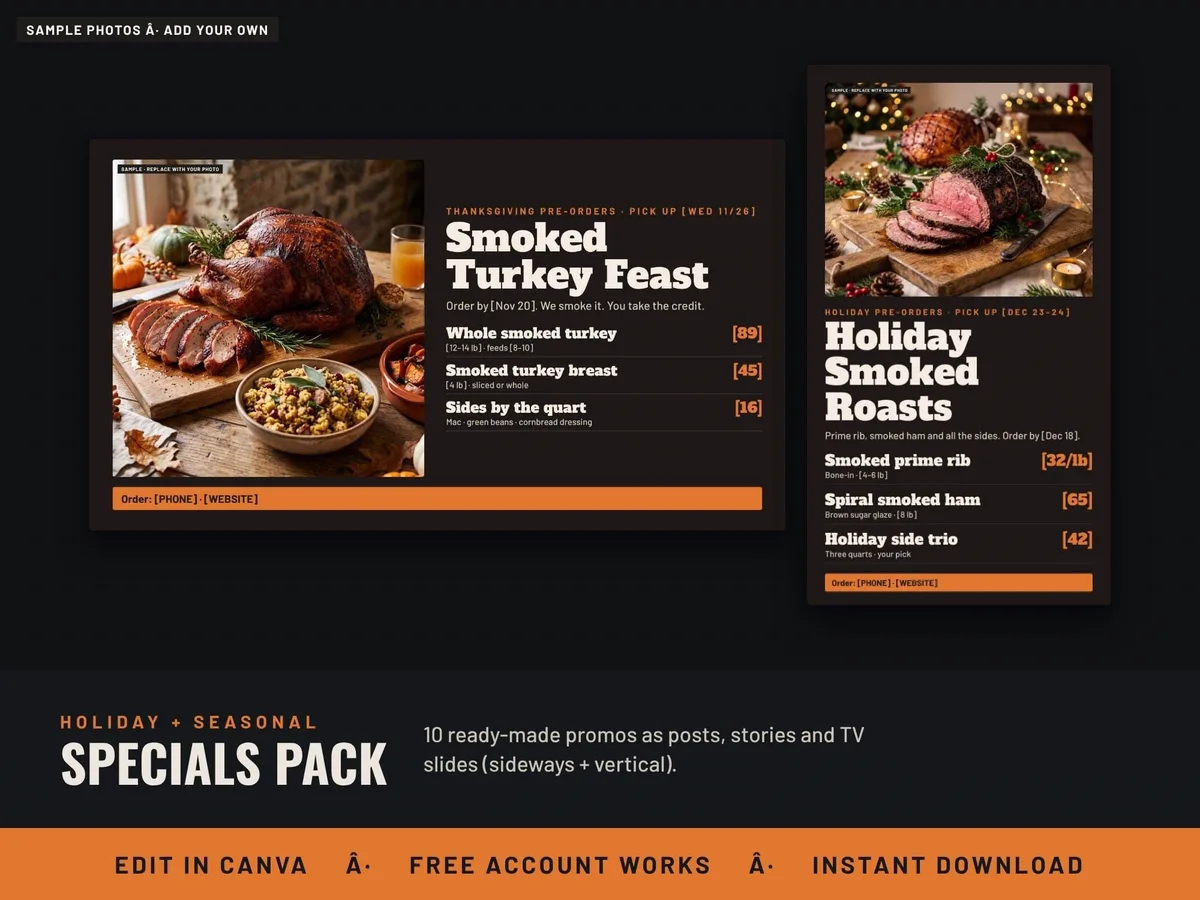
Ten ready-made holiday and seasonal promos for a BBQ restaurant, food truck or caterer, each as an Instagram post, a story and a TV slide.
Checkout, payment and delivery are handled by Etsy. Instant download the moment payment clears.
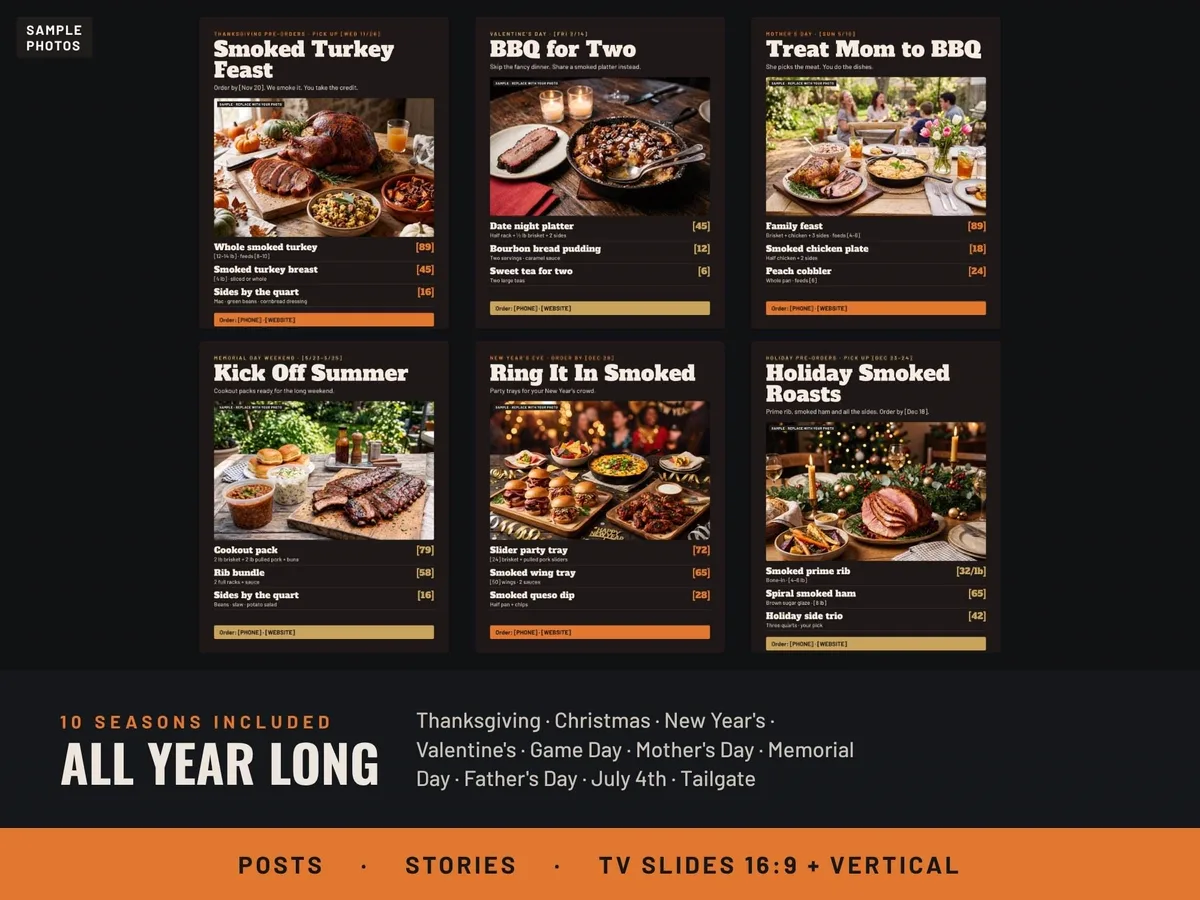
Ten ready-made specials for the whole year: Thanksgiving smoked turkey pre-orders, Christmas smoked roasts (prime rib and ham), game day catering, tailgate packs, New Year's Eve party trays, Valentine's Day "BBQ for Two", Mother's Day, Memorial Day, Father's Day "Feed Dad Right" and a Fourth of July "Red, White & BBQ".
Each special comes as an Instagram post (4:5), a story (9:16) and a TV slide, both sideways (16:9) and vertical (9:16) for TVs that stand up tall, with two photo choices for each and three color choices in every template.
How it works: download the Start Here PDF after purchase, click a link to open your own copy in Canva, pick your season, change the words in brackets and add your photo and prices, then post it or put the TV slide on a USB stick for any smart TV. Digital product; nothing is shipped. The food photos are samples — replace them with your own.
Want everything? The full BBQ Menu and Food Truck Marketing Kit includes this seasonal pack along with 38 templates, TV menu boards, spreadsheets and scripts.
What’s included
- Step-by-step how-to guide (PDF), written for people who have never used Canva. It covers changing prices and words, swapping photos, making a video menu, downloading the right file type, and putting it on a TV.
- Make it a video menu: swap the top photo for a short video in Canva and download an MP4 that loops on your TV.
What you need to show it on a TV
This is not an app or a subscription. You edit in free Canva, then download a picture file (PNG or JPG) or, for moving menus, a video file (MP4). Any screen that can show a photo or play a video full-screen will work. Use ONE of these:
- A smart TV with a USB port + a USB thumb drive (most common). Most Samsung, LG, Sony, TCL, Hisense and Roku TVs open photos and MP4 videos from USB in their Media, Photos or USB app. Some Vizio models can’t open files from USB, so use option 2 or 3.
- A streaming stick or box: Fire TV, Roku, Chromecast/Google TV or Apple TV, using a photo app (Google Photos, Amazon Photos, Roku Photo Streams) or AirPlay from an iPhone.
- A laptop or mini PC plugged into the TV with an HDMI cable. Works on any TV with an HDMI port.
- A digital signage display (Samsung Business, LG Signage or similar).
Test your TV first (2 minutes): put any photo and any short phone video on a USB thumb drive and open them on your TV. If the photo shows, picture menus will work. If the video plays, video menus will work.
- Vertical (tall) boards need the TV hung sideways (portrait). On a normal wide TV they show with black bars on each side. Sideways (16:9) boards fill a normal TV.
- Thumb drive: 8 to 32 GB, formatted FAT32 or exFAT (most new drives already are).
- TV won’t open PNG? Download as JPG instead.
- Video menus: download as MP4 Video and turn on Repeat/Loop on your TV.
- Screen turns off? Turn off the TV’s sleep timer or auto power-off.
Not included: the TV, mount, streaming device or thumb drive. The free Canva account works. Items with a crown in Canva are Pro.
Specification
| Format | Editable Canva templates (a free Canva account works) |
|---|---|
| Templates | 4 templates (post, story, sideways TV slide, vertical TV slide), each with all 10 seasons |
| Colors | 3 color choices in every template |
| Delivery | Instant digital download |
| License | For use in your own business; not for resale or sharing |