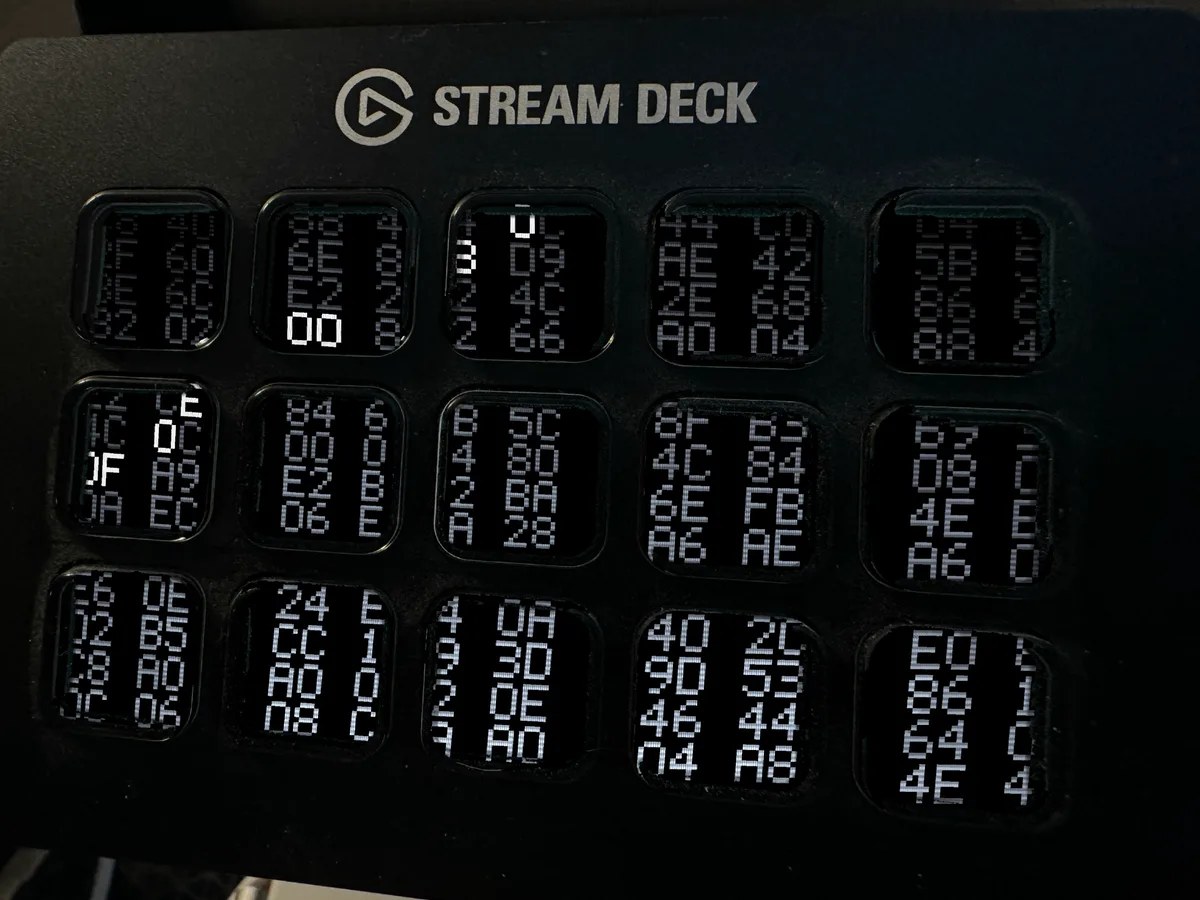
Core Dump
Core Dump is no longer sold on its own. It is included in the Terminal Pack, one download with every design in the set.
Hex byte pairs scroll up the deck in paper-white, brightest along the bottom where the machine is writing and fading as they rise, with the odd value flaring hot somewhere in the field. It reads as something dumping its entire memory to the screen and not stopping.
The values are grouped into readable pairs rather than run together as a wall of digits, on a twelve-level phosphor with a scanline and corner falloff. Because there are no words in a hex dump, this one runs edge to edge across the whole deck.
Every other animated Stream Deck screensaver on the market is a video loop: somebody animated it once, exported it, and it plays out identically forever because there was never anything underneath. This one is a simulation that was played through and recorded frame by frame, which is why the good moments happen at different places each time it is built rather than at the same place every loop.
WHAT YOU GET. Three files, one for each deck: the MK.2 and the original 15-key at 480x272, the XL at 1024x600 and the Stream Deck + at 800x480. Use the one that matches your deck. An illustrated HTML guide and a plain README come with them, and the guide calls out the one mistake everybody makes once — the app has a "Set Image" button right next to "Set Animation", and the first one gives you a frozen frame.
HONEST LIMITS. This is an animated GIF, so it needs the Stream Deck app version 6.6 or newer. The Stream Deck MINI cannot display animations at all — that is a limitation of the hardware, not of this file, and it is better said here than discovered afterwards. Nothing here is affiliated with, licensed by or endorsed by Elgato or any game publisher; the artwork is original and drawn in code.
[310 words — Etsy has no minimum, but under 300 reads as thin]